Hot Line: 01990098900,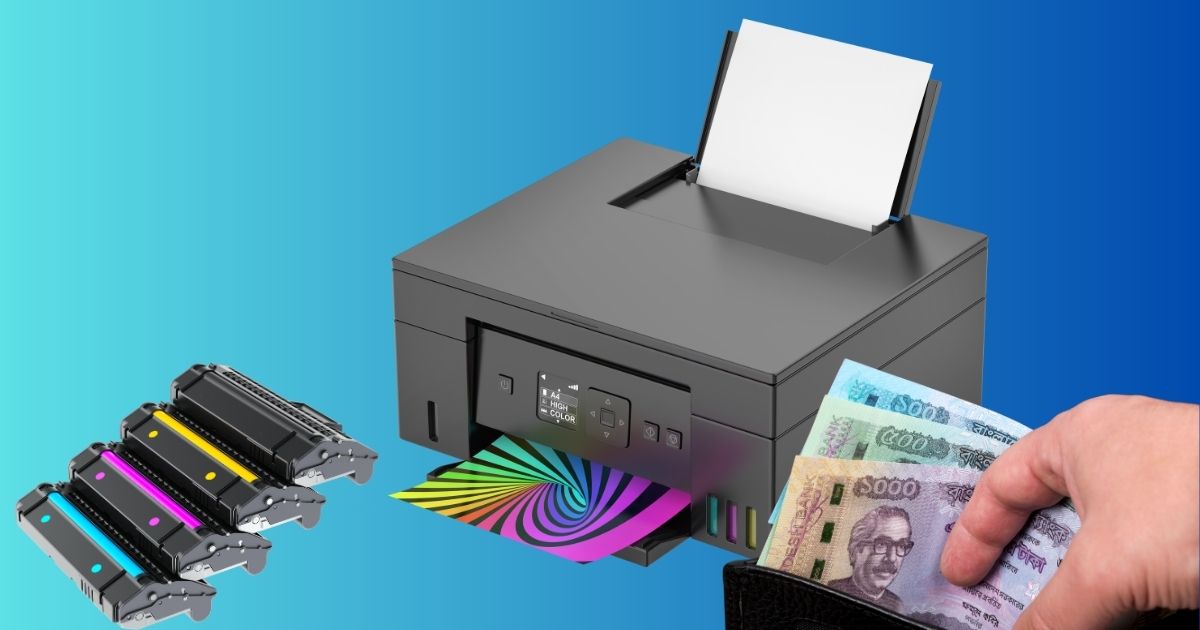
25 Practical Ways to Save Money on Printing Costs Without Sacrificing Quality
Printing can be expensive. But if you know the right tips and tricks, you can save a significant amount of money on your printing costs.
Whether you run a busy office or print occasionally at home, there are many smart strategies for saving printing costs, cutting down on printer toner or ink, and stretching the life of your toner. Today’s printers are capable of lasting longer and producing more pages if you know how to use them efficiently.
Here are 25 proven and effective ways to save money on printing costs without losing quality.
1. Switch to Draft or Eco Mode
Modern printers offer built-in settings like Draft, Eco, or Economy mode. These allow you to reduce ink density and lighten the print slightly, which is still perfectly readable for everyday documents. This is especially useful when you’re using color toner. So whenever you need moderate-quality print for everyday purposes, make use of this mode. For best practice, make it your default setting and instantly cut ink consumption.
2. Stick to Black-and-White for Regular Documents
Color printing can drain cartridges way faster than black-and-white printing. So, print in black-and-white unless your print requires color (photos, marketing materials, etc.). It not only keeps the printer toner price impact low, but also makes your cartridges last longer.
3. Choose Fonts Wisely
Some fonts use more ink than others because of their thicker strokes and adornments. Fonts like Garamond, Calibri, or Arial Narrow require less ink, and switching your default font can save thousands of printed pages over time. Avoid fonts like Impact, Arial, and Franklin Gothic if you’re aiming to save printing costs in the long run.
4. Reduce Font Size and Line Spacing
You don’t always need large text. A small adjustment, like using 10.5pt instead of 12pt, or switching from 1.15 spacing to single spacing, can significantly minimize page count and save both paper and ink.
5. Print Double-Sided (Duplex Printing)
One of the simplest ways to cut paper usage in half is to enable duplex printing. Duplex printing uses both back and front sides of a paper to print instead of printing on two separate pages. So, if you need to print two A4-sized pages’ worth of print, you can use the double-sided printing method and get your printing done in one A4-sized page. This way, you can cut your paper costs in half instantly.
6. Remove Unnecessary Images or Backgrounds
Logos, photos, colored blocks, or decorative shapes consume a lot of ink and paper space. Clearing these from drafts, internal documents, or prints meant only for reading can noticeably reduce printer cartridge expenses as well as paper costs.
7. Optimize Files Before Printing
PDF readers and word processors have options such as “Print in Grayscale,” “Ink Saver,” or “Draft Output.” They compress background elements and optimize layout, lowering ink usage during printing.
8. Print Only the Pages You Need
Instead of printing entire documents, use print ranges. This is especially useful in long contracts, research papers, or manuals where only 2–3 pages matter.
9. Use a More Cost-Efficient Printer
If your volume is high, consider switching from an inkjet to a laser printer. Though the upfront cost may seem high, the long-term savings on toner can be significant.
10. Buy Compatible Cartridges Instead of OEM
Brand-name cartridges are usually the most expensive part of printing. Reliable third-party cartridges can save you money on printer cartridges without compromising quality.
11. Refill Toner or Ink Instead of Replacing
Refill shops can refill cartridges at a fraction of the cost. This is an underrated method for saving printing costs, especially if you print frequently.
12. Use Print Preview to Avoid Mistakes
Before hitting “Print,” preview your document. This avoids printing blank pages, misaligned content, or wrongly formatted sections that waste both paper and toner.
13. Print Multiple Pages Per Sheet
For drafts, notes, or references, printing two or four pages per sheet can shrink your printing volume dramatically.
14. Go Digital Whenever Possible
Many documents no longer need to be printed. Digital signatures, online forms, cloud storage, and email receipts reduce the need for physical copies, leading to long-term savings.
15. Centralize Printing in Offices
Instead of multiple small printers scattered across rooms, using one high-capacity printer for all staff reduces supply costs, maintenance, and waste.
16. Maintain Your Printer Regularly
A well-maintained printer works efficiently and uses fewer resources. Regular cleaning prevents clogged nozzles and toner waste, helping your device last longer.
17. Don’t Replace Toner at the First Warning
Printers often send low-ink warnings far too early. Shake the toner cartridge gently to redistribute powder and continue printing. And you’ll see that the cartridges will deliver dozens or hundreds of pages after the first alert.
18. Buy Ink and Toner in Bulk
If your workplace prints frequently, try to buy toners in multipacks. Bulk purchases save money and reduce per-unit cost. Stocking up also ensures an uninterrupted workflow.
19. Purchase Toner Online for Better Deals
Online stores offer discounts, bundle pricing, and seasonal promotions. Buying online can be quite cheaper than retail stores, making it a better option for saving on printing costs long term.
20. Keep Spare Cartridges in Stock
A sudden toner shortage can delay work, cause downtime, and even lead to business losses. Keeping extra cartridges in your supply ensures a smooth workflow without emergency purchases at higher prices.
21. Power Off the Printer Properly
Inkjet printers go through a shutdown cycle that parks the print head in its resting position and prevents ink from drying. If you shut off the printer using a power strip, you’re cutting the electricity instantly, which means the printer cannot complete its shutdown cycle. This causes the ink to dry out and clog the mouth.
Make sure to properly turn off the printer. Turning it off correctly extends cartridge life and avoids clogged heads that waste ink.
However, for laser printers, using a power strip won’t clog the nozzles, as laser printers use powder toner. But over time, you might face some errors at the start, fuse wear, etc.
22. Consider Replacing Your Printer Entirely
Sometimes an old or inefficient printer becomes more expensive to maintain than replacing it. Newer models often have higher page yields, cheaper toner, and eco-friendly print settings that help you save money.
23. Experiment With Different Paper Types
Cheaper doesn’t always mean bad. Some paper types accept ink better and prevent smudging, allowing you to use lower-ink settings while maintaining clarity. Paper with a slightly smoother surface often prints more efficiently. But overly thick papers will absorb more ink.
24. Use Smarter Page Layouts
Before printing, inspect your layout for unnecessary gaps or blank pages between sections. Simple adjustments such as reducing margins, rearranging elements, or removing accidental page breaks can reduce the total page count.
25. Write Concisely to Reduce Page Volume
Using clear, concise writing not only strengthens your communication but also reduces page count. Avoid overly long descriptions or redundant sections to stay efficient and print-friendly.
Final Thoughts
Utilizing these simple yet effective strategies can significantly reduce your printing costs while maintaining clear, sharp, and professional documents. Start applying these tips now to enjoy long-term savings, improved workflow, and a more budget-friendly printing routine—at home or in the office.